
How to Reset Your Washing Machine (and Other Appliances)
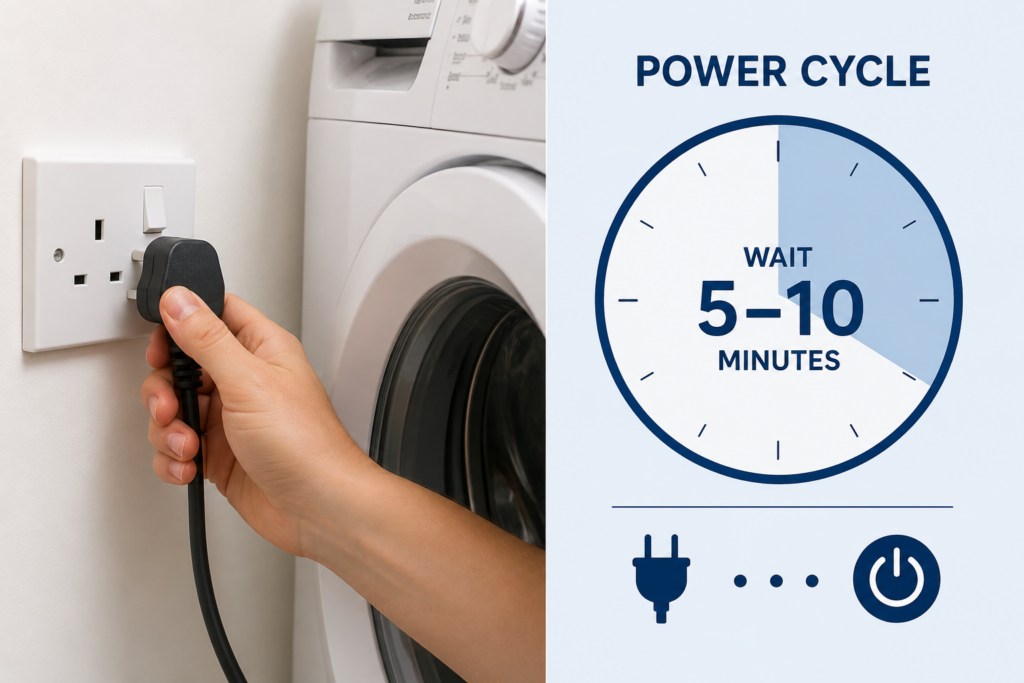

Most domestic appliance faults that seem serious are actually soft faults, meaning the appliance’s internal computer has locked up rather than any hardware being broken. A proper power cycle (unplug for a full 5 to 10 minutes, then plug back in) clears the vast majority of these. This is the first thing a qualified engineer will try on arrival, and it is worth trying yourself before booking a callout. This guide covers how to properly reset every common UK domestic appliance, what a reset will and will not fix, and when to stop resetting and diagnose the underlying fault.
Why a reset works so often
Every modern domestic appliance has some kind of control board or internal computer that manages the cycle, monitors sensors, and controls motors, heaters, valves, and pumps. Like every other computer, these boards occasionally lock up, misinterpret sensor readings, or get stuck in an error state that does not correspond to any real fault. When this happens, the appliance may refuse to start, stop mid-cycle, display error codes for faults that are not really there, or become unresponsive to the controls.
A proper power cycle (fully disconnecting the appliance from the mains for several minutes) forces the control board to lose all volatile memory, discharge any residual capacitor charge, and restart from scratch when reconnected. This clears soft faults completely and returns the appliance to its normal starting state. On a genuine hardware fault, the same error condition will typically return within the first cycle after reset, which tells you the reset has not fixed it and the appliance needs proper diagnosis.
The rule of thumb across the appliance repair trade is that around 30 to 40 percent of faults reported by consumers are cleared by a proper power cycle. That is a significant proportion of avoidable callouts. The key phrase here is “proper” — a hurried unplug-and-plug-back-in does not always work because it does not fully clear the board.
The universal reset procedure
The same basic sequence works for washing machines, dishwashers, tumble dryers, fridges, freezers, ovens, hobs, microwaves, and virtually every other mains-powered domestic appliance. Small variations by appliance type are covered in the sections below.

Step 1: Switch off at the wall socket
Turn off the wall socket the appliance is plugged into. On hardwired appliances (cookers, some ovens), turn off the isolator switch or the relevant circuit at the consumer unit. Do not rely on the appliance’s own power button, which may leave internal circuitry live even when the display appears off.

Step 2: Unplug the appliance
Pull the plug out of the wall socket. If access is difficult (built-in appliances behind cabinetry), turning off the relevant circuit at the consumer unit is the equivalent alternative. The critical point is complete disconnection from the mains supply, not just switching off. Some appliances have small residual power supplies that stay live even with the wall switch off.

Step 3: Wait a full 5 to 10 minutes
This is the step most people rush and where most resets fail. Modern control boards contain capacitors that hold residual charge for several minutes after disconnection. If you plug back in after 30 seconds, the board has not fully discharged, the volatile memory has not fully cleared, and the reset is incomplete. Five minutes is the practical minimum. Ten minutes is safer. For particularly stubborn faults or premium appliances with substantial internal electronics, some engineers recommend leaving the appliance disconnected overnight.

Step 4: Plug back in and switch on
Reconnect the appliance and switch on at the wall socket. Give it a moment to fully boot up (the display may show a startup sequence or brief self-test). Try to start a normal cycle. If the fault has cleared, the appliance will behave normally. If the same error returns immediately or within the first cycle, the underlying issue is a genuine hardware or component fault and further resets will not help.

Step 5: If the fault returns, do not repeatedly reset
Consumers occasionally get into a cycle of resetting the appliance every time the fault reappears, effectively using resets as a workaround rather than a fix. This is a mistake. A fault that returns immediately after reset is telling you something is genuinely wrong. Continuing to reset can mask a developing hardware problem (a failing pump, a leaking valve, a weakening motor) that gets worse over time. If two proper resets have not cleared the fault, stop resetting and get a proper diagnosis. See our appliance repair booking for nationwide qualified engineer callouts.
Resetting a washing machine
Washing machine resets are the most commonly searched of all appliance resets, and for good reason. Washing machine electronics handle a lot of sensor inputs (door lock, water level, temperature, motor speed, drum position), and any one of them briefly misreporting can put the machine into a locked error state that a reset clears.
Standard washing machine reset
Follow the universal reset procedure. Turn off at the wall, unplug for 5 to 10 minutes, plug back in, and try a normal cycle. This clears most soft faults. If the door will not open, turn the water off before unplugging so residual water pressure does not force water past a released door lock. See our related piece on washing machine door won’t open.

What a washing machine reset will NOT fix
A blocked pump filter (see our piece on washing machine won’t drain water). Broken drum bearings (the noise will return immediately on the next spin). A perished door seal or leaking hose (see why is my washing machine leaking water). Any error code that reappears within the first cycle after reset. Any burning, electrical, or hot plastic smell (stop using the machine immediately and see the safety section below).

When to try a reset first
The machine has stopped mid-cycle for no obvious reason. The display is unresponsive or frozen. An error code has appeared but the symptom does not match the code (for example, a “no water” code on a machine that clearly has water in the drum). The machine seems to have forgotten the programme setting. The machine will not start even though everything is connected properly. In all of these cases, a proper reset is the sensible first step before assuming a genuine fault.
Resetting a dishwasher
Dishwasher resets follow the same universal procedure. A few dishwasher-specific considerations are worth knowing.
Standard dishwasher reset
Turn off at the wall, unplug (or turn off the circuit for hardwired units), wait 5 to 10 minutes, plug back in. Try a short cycle rather than a full intensive cycle for the first test. If a full drain of any residual water in the tub is needed before a proper cycle can start, the machine will typically handle this automatically after reset. If it does not, the drain filter is worth checking. See our existing guide on dishwasher not draining.
What a dishwasher reset will NOT fix
A blocked filter or spray arm (see our guide on how to clean a dishwasher). Missing salt or rinse aid. Water pressure problems from the household supply. A blocked household waste pipe backing up into the machine. Cleaning performance issues that have developed gradually — these are almost always maintenance rather than electronic. See dishwasher leaving white marks on glasses and dishwasher not drying dishes for the common non-electronic causes.
Resetting a tumble dryer
Tumble dryer resets often clear faults related to overheating protection, moisture sensor readings, or door interlock issues. The universal procedure works. A few dryer-specific points.
Standard dryer reset
Turn off at the wall, unplug, wait 5 to 10 minutes, plug back in. Check the lint filter and any condenser filter before running a test cycle — a blocked filter can produce error states that look like electronic faults but are actually thermal protection tripping. Heat pump dryers with clogged filters are particularly prone to this.

Thermal cutout resets (some vented dryers)
Some vented and older condenser dryers have a physical thermal cutout button at the back of the appliance that trips when the dryer overheats. If the dryer refuses to start heating after an electronic reset, the thermal cutout may need pressing. Look for a small red button on the back panel, near the top. Press it firmly. If it clicks back in, it had tripped. If it will not stay in, the thermal cutout may have failed permanently and needs replacement. See our related pieces on tumble dryer tripping the electrics and noisy tumble dryer.
What a dryer reset will NOT fix
Genuine heating element failure. A failed motor. Blocked ducting (on vented dryers). A saturated condenser or heat exchanger. Any persistent burning smell (stop using the dryer immediately).
Resetting a fridge or freezer
Fridge and freezer resets are worth trying when the appliance is behaving erratically (temperature swings, unusual noises that came and went, control panel unresponsive) but should be approached with food safety in mind because the unit will warm up during the reset.

Timing the reset
A 5 to 10 minute power cycle will not significantly warm the interior of a well-stocked fridge or freezer. A full and properly-sealed fridge holds temperature for around 4 hours with the door closed and unplugged; a full freezer holds temperature for around 24 hours. A short reset is entirely safe from a food perspective. If the reset needs to be longer (some engineers recommend overnight for stubborn faults), consider moving the most perishable items to a cool bag with ice packs.
Standard fridge or freezer reset
Turn off at the wall, unplug, wait 5 to 10 minutes, plug back in. Keep the door closed throughout. The compressor may take a few minutes to restart normally. Some models have a start delay of up to 5 minutes after reconnection, which is normal protection against short-cycling and not a fault.
What a reset will NOT fix
A perished door seal (see our related pieces on noisy fridge or freezer and fridge freezer making noises). Frost buildup in a manual defrost model (see how to defrost a freezer). A failed compressor. A refrigerant leak. Any appliance that has completely stopped cooling. Any burning or unusual smell.
Resetting an oven or electric cooker
Ovens and electric cookers occasionally lock up in the same way as other appliances, particularly on models with touch controls, programmable timers, or self-cleaning cycles. The reset procedure has to account for the fact that many ovens are hardwired rather than plugged in.
Hardwired ovens
If the oven is hardwired (no visible plug), the reset requires turning off the circuit at the consumer unit rather than pulling a plug. Locate the circuit for the oven (usually clearly labelled), switch it off, wait 5 to 10 minutes, and switch back on. Never attempt to disconnect a hardwired appliance from behind the wall or unit; that is electrician-only work.
Plug-in ovens and cookers
Freestanding cookers with a plug (typically 32A commando plug or standard 13A depending on model) can be reset by pulling the plug. Otherwise treat the same way as hardwired: switch off the circuit at the consumer unit.
What a reset will NOT fix
A failed heating element (see oven not heating up). A failed fan motor (see oven fan not working). A broken door seal or hinge. A cracked ceramic or induction hob top. Any burning smell or visible sparking — turn the appliance off at the consumer unit and get an engineer.

Gas ovens and gas cookers
Any gas appliance work in the UK must be carried out by a Gas Safe registered engineer. Do not attempt to disconnect, move, or work on gas hobs, gas ovens, or gas cookers yourself. Electrical reset via the mains supply switch is fine (it does not touch the gas supply), but any suspected gas fault needs a Gas Safe engineer. The Gas Emergency Helpline is 0800 111 999 if you smell gas.
Resetting other appliances
The same universal procedure applies across almost every mains-powered domestic appliance. Some brief notes on the common ones.

Microwaves and air fryers
Standard 5 to 10 minute unplug reset. Most microwave and air fryer faults that respond to reset are display or control panel lockups rather than hardware issues. Persistent faults after reset (particularly humming without heating, or fan running with no cooking) suggest genuine failures that need diagnosis or, on lower-value appliances, may push toward replacement.

Coffee machines
Bean-to-cup and pod coffee machines with error codes often respond well to a reset because they contain a lot of electronics and sensors. Standard reset procedure. Additionally, many coffee machines have a “descale” or “clean” mode that needs to be completed if a descale cycle was interrupted; the reset alone may not clear this and the mode may need to run fully. See the appliance manual for the specific model’s reset sequence.

Robot vacuums
Most robot vacuum resets are done via the appliance’s own menu or the smartphone app rather than by unplugging (they run on rechargeable batteries). A full battery drain followed by a full recharge often clears persistent behavioural glitches. For genuine control board issues, most manufacturers publish a specific button-press sequence to force a factory reset — check the appliance manual.

Dehumidifiers and cooker hoods
Standard unplug reset. Dehumidifiers often have moisture sensor readings that get confused after a full tank overflow event; a reset plus emptying and drying the tank thoroughly usually clears these. Cooker hood control panels lock up occasionally on higher-end models with touch controls — a reset via the isolator switch or circuit fixes most of these.
When a reset is the wrong answer
Not every appliance fault is a candidate for a reset. Some symptoms indicate genuine hardware problems or safety issues where resetting can waste time at best and cause harm at worst.
Burning smell, electrical smell, or smell of hot plastic. Visible smoke or sparking. Water leaking around a plugged-in appliance where the water may reach electrical components. Any tingle, shock, or unusual sensation when touching the appliance. Circuit breaker or RCD tripping repeatedly when the appliance is switched on. Any gas smell around a gas appliance. Any of these are safety issues that need immediate power isolation and qualified diagnosis, not a reset.
The two-reset rule
If two proper resets have not cleared the fault, stop resetting. Repeated resets waste time and can mask a developing hardware problem. A fault that returns immediately after reset is telling you something is genuinely wrong, and the sensible response is a proper diagnosis rather than a third reset. See our appliance repair booking for nationwide qualified engineer callouts.
Mechanical faults do not respond to resets
A blocked pump filter, a perished door seal, a torn drain hose, a broken drum bearing, a failed motor, or a genuinely leaking valve are mechanical faults. No amount of electronic resetting will fix them. If you have identified a specific mechanical symptom (leaking water, grinding noise, physical damage), skip the reset and go straight to the appropriate diagnostic. See our related pieces on washing machine leaking water, washing machine won’t drain water, and washing machine door won’t open.
Circuit breaker or RCD tripping
If the household circuit breaker or RCD trips as soon as an appliance is switched on, do not repeatedly reset the appliance and reset the breaker. Something in the appliance is drawing excess current or leaking to earth, and this needs qualified diagnosis rather than repeated attempts to power up. See our related piece on tumble dryer tripping the electrics for the specific case of dryer earth leakage, which is the most common cause of this pattern across UK households.
Do modern appliances have a “factory reset” button?
Some modern appliances, particularly those with Wi-Fi connectivity, touch controls, or configurable settings, have a separate “factory reset” or “master reset” function that goes beyond a simple power cycle. This is different from the reset procedures above and is only relevant for specific situations.

What a factory reset actually does
A factory reset wipes any user-configured settings (Wi-Fi network, time and date, favourite programmes, water hardness settings, temperature preferences) and returns the appliance to its shipped-from-factory state. It does not fix hardware faults. It is useful mainly when selling an appliance, moving to a new property, or troubleshooting stubborn control issues that a normal reset has not cleared.

Finding the factory reset procedure
Factory reset sequences are model-specific and always documented in the appliance manual. Common patterns include holding a specific button for 10 seconds, pressing a combination of buttons simultaneously, or entering a service menu via a hidden button press. Check the manual for your specific model. If the manual is not to hand, most manufacturers publish digital versions on their UK support websites.
When you actually need it
Rarely. In the vast majority of cases, a normal power cycle reset clears the same faults a factory reset would, without also wiping your Wi-Fi settings and programme preferences. Factory reset is worth trying only after a normal reset has failed and before booking an engineer, particularly on modern appliances with heavy electronics. For older, simpler appliances without Wi-Fi or configurable programmes, factory reset is not usually available or necessary.
Preventing the need for future resets
Some habits and installation choices meaningfully reduce the frequency of soft faults across the appliance’s life. The list is short but the effect adds up.
Consider surge protection on premium appliances
Voltage spikes from the mains supply (particularly during electrical storms or from other appliances in the household) can occasionally corrupt appliance control boards, causing faults that need resets to clear and, over time, contribute to premature control board failure. Whole-house surge protection at the consumer unit protects everything on the mains supply. Point-of-use surge-protected sockets are cheaper and protect individual appliances. Worth the small investment on higher-value appliances (typically over £600) where a control board replacement would be a significant cost.
Correct installation environment
Appliances installed in environments outside their design specification (fridges in unheated garages during winter, washing machines in very cold conservatories, dishwashers in warm cabinets without adequate ventilation) are more prone to sensor confusion and soft faults. See our related pieces on climate classes and putting a fridge-freezer in a garage.

Keep sensors clean
Many soft faults are caused by dirty sensors: pressure sensors in washing machines that read the water level, moisture sensors in tumble dryers that decide when clothes are dry, humidity sensors in fridges, temperature probes in ovens. Regular maintenance (particularly filter cleaning, sensor wiping during regular cleaning cycles) prevents the sensor errors that trigger reset-clearable faults. See our maintenance-focused pieces on how to clean a washing machine, how to clean a dishwasher, and how to clean an oven.
The Whitegoods Help view
The proper power cycle is one of the most useful diagnostic and remedial tools available to UK households and one of the most consistently under-used. Around 30 to 40 percent of the appliance faults reported to engineers turn out to be soft faults that a 5 to 10 minute unplug would have cleared. That is a significant proportion of avoidable callouts, avoidable stress, and avoidable expense.
The reason it does not solve everything is that it does not solve everything. A blocked pump filter, a perished door seal, a failed heating element, a torn drain hose, or a broken drum bearing are all mechanical faults that no amount of electronic resetting will fix. The value of the reset is separating the soft faults from the hard ones. If a proper reset clears the fault, it was a soft fault and the appliance is fine. If a proper reset does not clear it, it is a hard fault and needs proper diagnosis. The distinction is genuinely useful.
The wider observation is that modern appliances are more electronically complex than they used to be, which has both increased the number of soft faults that can occur and made the reset a more useful tool. A washing machine from 1985 with a mechanical timer and a single relay could not soft-fault in any meaningful sense. A modern machine with a full control board, half a dozen sensors, and a Wi-Fi module has many more opportunities to get confused. The reset is the modern equivalent of the older engineer’s tap-with-a-screwdriver — it clears a category of faults that would previously not have existed and would now cost hundreds of pounds in unnecessary callouts if the household did not know to try it.
Reset did not fix it? We can help
If a proper reset has not cleared the fault, the underlying issue is likely mechanical or a genuine hardware failure. Our nationwide repair service, spare parts service, and Help Forum cover every major UK appliance brand and model. Get the right diagnosis and the right fix.
Frequently asked questions
How do I reset my washing machine?
Turn off at the wall socket, unplug the machine, wait a full 5 to 10 minutes, then plug back in and switch on. This clears the vast majority of soft faults (frozen displays, false error codes, mid-cycle stops without an obvious cause). If the same fault returns within the first cycle after reset, the problem is a genuine hardware fault and further resets will not fix it.
How long should I unplug my appliance for a proper reset?
A full 5 to 10 minutes at minimum. This is the step most people rush and where most resets fail. Control boards contain capacitors that hold residual charge for several minutes, and volatile memory does not fully clear until the board has fully discharged. Thirty seconds is not enough. Ten minutes is a safe default. Overnight is worth trying for stubborn faults on premium appliances.
Will a reset erase my washing machine settings?
No, for a standard power cycle reset. Programme memory and user settings are stored in non-volatile memory and survive a normal power cycle. A separate “factory reset” via a button sequence in the appliance menu does erase settings, but that is a different procedure only used in specific circumstances (selling the appliance, troubleshooting stubborn control issues, or wiping Wi-Fi credentials).
My washing machine keeps stopping mid-cycle. Will a reset fix it?
Sometimes. A one-off stop with no clear reason often responds to a reset. Repeated stops at the same point in every cycle suggest a specific fault (blocked pump filter, faulty water level sensor, drain issue) that a reset will not clear. If two proper resets have not fixed the problem, stop resetting and diagnose the specific fault. See our related guides on washing machine won’t drain water and why does my washing machine smell.
Can I damage my appliance by unplugging it while it is running?
Rarely, but the safer approach is to stop the cycle at the control panel first, then unplug. Unplugging mid-cycle can leave water in the drum of a washing machine or dishwasher, which is inconvenient but not damaging. If a stuck door or locked display prevents you from stopping the cycle properly, unplugging is the correct action. Do not unplug while the appliance is actively spinning (drum still in high-speed rotation) if you can avoid it, because the motor is under load.
What is the difference between a reset and a factory reset?
A standard reset is a power cycle: unplug for 5 to 10 minutes, plug back in. It clears soft faults and returns the appliance to normal working state without changing your settings. A factory reset (available on some modern appliances via a menu or button sequence) wipes user-configurable settings (Wi-Fi, favourite programmes, water hardness, temperature preferences) and returns the appliance to its shipped-from-factory state. Factory reset is rarely needed and does not fix hardware faults.
How do I reset a fridge or freezer without spoiling food?
A 5 to 10 minute power cycle will not significantly warm a well-stocked fridge or freezer with the door kept closed. A full fridge holds temperature for around 4 hours unplugged; a full freezer for around 24 hours. For longer resets (overnight), consider moving the most perishable items to a cool bag with ice packs. See our related piece on how to save food if the freezer isn’t working.
My oven is hardwired. How do I reset it?
Turn off the relevant circuit at the household consumer unit (usually labelled “cooker” or “oven”). Wait 5 to 10 minutes. Switch the circuit back on. This achieves the same effect as unplugging on a plug-in appliance. Never attempt to disconnect a hardwired appliance from behind the wall or cabinet — that is electrician-only work.
Should I keep resetting the appliance if the fault keeps coming back?
No. If two proper resets have not cleared the fault, the underlying problem is a genuine hardware fault and further resets will not help. Repeatedly resetting can mask a developing hardware problem that gets worse over time. Stop resetting and get a proper diagnosis. See our appliance repair booking for nationwide qualified engineer callouts.
Can I reset a gas appliance the same way?
Gas hobs, gas ovens, and gas cookers with electronic controls can be reset via their mains supply (unplug or switch off the circuit for 5 to 10 minutes). This is safe and does not affect the gas connection. Any suspected gas fault, gas smell, or gas supply issue is a Gas Safe engineer job, not a reset. The Gas Emergency Helpline is 0800 111 999 if you smell gas.
Ask the repair forum
Post the make, model and symptoms and get help from the Whitegoods Help community.
0 Comments