
Hotpoint Washing Machine Error Codes
Hotpoint washing machine error codes explained. Full guide covering F01 to F18 and all LED flash codes across every Hotpoint model series with causes and step-by-step checks.
01Codes covered on this page
F02 - Motor
F03 - NTC sensor
F05 - Drain
F06 - Drum / motor
F07 - Pressure switch
F08 - Door interlock
F09 - Overheating
F10 - Fill / motor control
F11 / F12 - Dual inlet
F13 - Water supply
F14 - Pressure switch jammed
F15 / F16 - Board / door
F17 - Water level
F18 - Pump
LED flash codes 1-10
02Which Hotpoint machines does this guide cover?
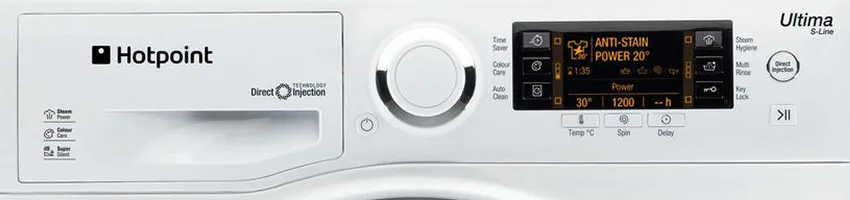
This guide covers all Hotpoint washing machines and washer dryers sold in the UK, including the WMA, WML, WMAO, WMAQF, WMAQG, WF, BHWM, BHWMD, RPD, and HV series, the Aqualtis range (AQ prefix models), and the Ultima series. Both digital display models showing F codes and older LED indicator models showing flash codes are covered. For broader brand context see our Hotpoint brand hub.
Hotpoint machines with an LCD or LED display show fault codes as F followed by a two-digit number - F01, F02, F05, F08 and so on. Write the exact code down before doing anything else. A misread sends the entire diagnosis in the wrong direction.
Older Hotpoint machines without a digital display show faults through flashing indicator lights. Count the number of flashes in the repeating sequence carefully - the flash count corresponds to the fault number. Use the flash code table below, or our Hotpoint Aquarius lights flashing guide for that specific range.
The Hotpoint brand in the UK is completely different from Hotpoint in the United States, which is owned by GE Appliances. UK Hotpoint machines and their error codes have no connection to US Hotpoint appliances. If code information you have found does not match what your machine is showing, confirm you are using a UK Hotpoint source.
Hotpoint and Indesit share the same manufacturing platform and fault code system under Beko Europe. If you have an Indesit machine, the codes in this guide apply - but see our dedicated Indesit washing machine error codes guide for Indesit-specific model series and context.
03Which Hotpoint codes are seen most often?
Across the field, four code groups account for the majority of Hotpoint fault callouts. Knowing which they are helps narrow the diagnosis before you open anything up.
Motor - usually worn carbon brushes
Drain fault - almost always a blocked filter
Door interlock - common at 5-10 years
NTC sensor - thermistor or limescale
04Hotpoint washing machine F code reference
The following codes apply to Hotpoint washing machines and washer dryers with a digital display, including the WMA, WML, WMAO, WMAQF, WMAQG, WF, BHWM, BHWMD, Aqualtis, and Ultima series.
| Code | Fault description | Most likely causes | Check first |
|---|---|---|---|
| F01 | Electronic circuit board fault - PCB not operating correctly | Main control board failure. Power supply fault causing incorrect voltage to the board. Wiring harness fault. Moisture damage to the board. | Switch off at the mains for 2 minutes, then restart. F01 sometimes clears on a power reset if the cause was a transient voltage event. If F01 returns consistently, the control board requires engineer diagnosis. Board replacement is expensive - always confirm other causes have been ruled out first. See our dedicated guide - Hotpoint F01 error code. |
| F02 | Motor circuit fault - drum rotation problem detected | Worn motor carbon brushes (most common cause on machines over five years old). Motor jammed by a foreign object. Tachogenerator failure. Motor winding failure. Wiring fault between motor and control board. | With the machine unplugged, check the drum rotates freely by hand. If it does, inspect the motor carbon brushes - see fitting new Hotpoint carbon brushes and carbon brushes diagnostics guide. For Aqualtis F02 specifically see our Hotpoint Aqualtis F02 deep-dive. |
| F03 | Temperature sensing fault - NTC thermistor not reading correctly | Failed NTC thermistor. Loose or corroded wiring connector. Limescale on the thermistor in hard water areas. | Test the NTC thermistor with a multimeter (approximately 30,000 ohms at room temperature, falling as temperature rises). Open circuit confirms failure. In hard water areas, descale before testing - see how to descale a washing machine. For washer dryer F03 specifically see our Hotpoint washer dryer F03 guide. |
| F05 | Drain / waste water fault - machine unable to drain, door may be locked shut | Blocked pump filter (single most common cause). Kinked or blocked drain hose. Standpipe too high. Foreign object blocking the pump impeller. Failed drain pump motor. The door will not open while water remains in the drum. | Clean the pump filter behind the small access panel at the bottom front of the machine. Place towels and a shallow tray in front before opening. Unscrew anticlockwise, remove all debris, check the pump cavity for coins or foreign objects, and refit firmly. See our dedicated guide - Hotpoint F05 error code - and washing machine not draining. |
| F06 | Drum not rotating - motor or brush fault | Worn motor carbon brushes (most common). Drum obstruction. Motor failure. | Check drum rotates freely by hand with machine unplugged. Inspect and replace carbon brushes if worn below 10mm. See buying Hotpoint and Creda carbon brushes for parts sourcing. |
| F07 | Pressure switch / water level fault - level has dropped during cycle or is not reading correctly | Failed pressure switch. Blocked or kinked pressure switch hose. Soap suds build-up. Actual water loss during cycle due to a leak. Wiring fault to pressure switch. | Check the pressure switch hose - a narrow pipe running from the drum to the pressure switch - for blockage or kinks. Run a service wash to clear soap residue. Check for signs of leakage if the water level is genuinely dropping during cycles - see too much foam in washing machines. |
| F08 | Door interlock fault - door lock not operating correctly | Failed door interlock mechanism. Wiring fault to interlock. Door not fully closed. Obstruction in door seal. Broken door handle or catch. | Open and firmly close the door, ensuring no clothing is trapped in the seal. If correct and F08 persists, test the door interlock for continuity. Door interlock replacement is a very common Hotpoint repair - genuine parts available through our Spare Parts Shop. See also Hotpoint 8 flashes / Error 8 and washing machine door won’t open. |
| F09 | Overheating / heating relay fault - machine has detected an overtemperature condition | Safety thermostat triggered by overheating. NTC thermistor reading incorrectly causing continuous heating. Heating element relay stuck in the closed position. Control board fault. | Allow the machine to cool fully before restarting. Do not simply reset and continue without investigating why the overtemperature condition occurred. Test the NTC thermistor. If it reads correctly, the fault is in the relay or control board. |
| F10 | Fill fault (cold water) on some models / motor control fault on others - varies by model generation | On older models - no cold water fill (tap closed, blocked inlet filter, low pressure, failed inlet valve). On some newer models and in the LED flash code system - motor control fault similar to F02. | First confirm which meaning applies to your model. If fill-related - check tap, inlet hose, and inlet filter. If motor-related - check drum rotation and carbon brushes. See our dedicated guide - Hotpoint 10 flashes / F10. |
| F11 | No hot fill - hot water inlet fault on dual-inlet machines | Hot water tap not open. Blocked hot inlet filter. Failed hot inlet valve solenoid. | Applies only to older dual-inlet Hotpoint machines with two inlet hoses. Confirm whether your machine has two inlet hoses. If so, check the hot tap and hot inlet valve. |
| F12 | No mixed fill - dual-inlet machines only | Both hot and cold inlet faults present on a dual-inlet machine. | Check both hot and cold water supplies. Applies only to dual-inlet machines. |
| F13 | Water supply fault - inlet valve or supply issue | Inlet valve failure. Water supply problem. Connection issue at the inlet hose. | Check water supply, inlet valve operation, and hose connections. Test inlet valve solenoid for continuity. |
| F14 | Pressure switch jammed on empty - registering no water even when water is present | Failed pressure switch stuck in the empty position. Disconnected or split pressure switch hose. Control board fault. | Check the pressure switch hose connection at both the drum and pressure switch ends - a disconnected hose is a common cause. Test the pressure switch for continuity. |
| F15 | Electronic control board fault (specific models) | Main control board failure on models where F15 is the primary board fault code. | Power cycle the machine. If F15 returns consistently, engineer diagnosis required. |
| F16 | Door lock fault (specific models) | Door interlock fault on models that use F16 rather than F08. | Same checks as F08 - confirm door closes correctly and test interlock for continuity. |
| F17 | Water level fault - pressure switch reading abnormal or water level dropping | Pressure switch fault. Water leaving the drum due to internal leak. Pressure hose split or disconnected. | Check for visible signs of leakage. Inspect pressure switch hose. Test pressure switch. |
| F18 | Drain pump fault (specific models) | Drain pump motor failure or wiring fault. Used on specific Hotpoint variants where F18 rather than F05 indicates the drain fault. | Clean pump filter first. If clear, test drain pump motor for continuity. |
If your Hotpoint machine is showing “tESt” or similar in the display rather than a fault code, the machine has entered service / test mode rather than recording a fault. See our Hotpoint test display guide for how to clear it.
05LED flash codes - Hotpoint machines without a digital display
Many older Hotpoint washing machines communicate faults through the indicator lights flashing in a repeating pattern rather than displaying an alphanumeric code. Count the number of flashes in the repeating sequence - that number is the fault code.
Watch the lights flash and count the number in one complete repeating sequence before the pause. Confusing 8 flashes with 9 or 10 sends the entire diagnosis in the wrong direction. Taking a short video on your phone and counting from the recording is a reliable way to get an accurate count.
| Flash count | Equivalent F code | Fault description | Most likely cause and action |
|---|---|---|---|
| 1 flash | F01 | Electronic circuit board fault | Power cycle first. If persistent, engineer diagnosis required. |
| 2 flashes | F02 | Motor circuit fault | Check drum rotates freely. Inspect and replace carbon brushes if worn below 10mm. |
| 3 flashes | F03 | Temperature / heating fault | Test NTC thermistor. Descale in hard water areas before replacing. |
| 4 flashes | F04 | Pressure switch fault or door fault (model dependent) | Check pressure switch hose. On door-fault models, confirm door closes correctly. |
| 5 flashes | F05 | Drain / pump fault | Clean pump filter immediately - this resolves most 5-flash faults on Hotpoint machines. |
| 6 flashes | F06 | Drum not rotating / motor fault | Check drum rotates freely by hand. Inspect carbon brushes. |
| 7 flashes | F07 | Pressure switch / water level fault | Check pressure switch hose. Check for leakage during cycle. |
| 8 flashes | F08 | Door interlock fault | Close door firmly. If code persists, test interlock and replace. See - 8 flashes guide. |
| 9 flashes | F09 | Overheating / heating relay fault | Allow machine to cool fully. Investigate overtemperature cause before restarting. |
| 10 flashes | F10 | Fill fault or motor control fault (model dependent) | Confirm which applies to your model. See - 10 flashes guide. |
If you have a Hotpoint Aquarius and the flashing pattern is not matching the table above, your model may use a slightly different flash language. See our dedicated Hotpoint Aquarius lights flashing guide.
06What are the four most common Hotpoint washing machine faults?
Four faults account for the vast majority of Hotpoint error codes seen in UK homes. Understanding these four repairs well is more useful than memorising the entire code list.
Motor carbon brushes are the single most common fault on Hotpoint washing machines over five years old. Hotpoint machines use conventional carbon brush motors - the brushes gradually wear down and need replacing. Worn brushes cause the machine to stop mid-cycle or fail to spin. Inspecting and replacing brushes is straightforward, inexpensive, and resolves the majority of Hotpoint motor fault codes - see our step-by-step guide on fitting new Hotpoint carbon brushes.
A blocked pump filter is the most common single cause of drain fault codes on Hotpoint machines. Coins, buttons, bra underwires, and debris accumulate in the filter over time and eventually block it. The machine stops draining and the door locks shut. Cleaning the filter takes five minutes and costs nothing. It should be treated as routine maintenance every few months regardless of whether a fault code has appeared.
The door interlock locks the door during the wash cycle and releases it when safe. On Hotpoint machines it is subject to significant mechanical wear over thousands of cycles and is a common failure point on machines over five years old. A failed interlock can prevent the cycle from starting or trap laundry inside the machine. Genuine replacement interlocks are widely available and the repair is practical for a confident DIY repairer.
The NTC thermistor is the temperature sensor that monitors water temperature during the wash cycle. When it fails, the control board cannot detect temperature correctly. In hard water areas, limescale on the thermistor is a frequent trigger for this code without the thermistor actually failing - always descale before replacing - see limescale in washing machines. Genuine replacement thermistors for most Hotpoint models are inexpensive and widely available.
07What should you check before calling an engineer?
-
Power cycle the machine. Switch off at the wall socket, wait 2 minutes, and switch back on. Transient codes - particularly F01 and F09 - sometimes clear on a power reset. If the same code returns consistently, it represents a real fault.
-
Clean the pump filter (F05, 5 flashes). The filter is behind the small access panel at the bottom front of the machine. Place towels and a shallow tray in front before opening as water will flow out. Unscrew anticlockwise, remove all debris, check the pump cavity, and refit firmly.
-
Inspect carbon brushes (F02, F06, 2 and 6 flashes). With the machine unplugged, check the drum rotates freely by hand. If it does, access the motor from the rear of the machine and inspect the carbon brushes. Replace if worn below 10mm.
-
Check the door closes correctly (F08, 8 flashes). Open and firmly close the door, ensuring nothing is caught in the seal. If correct and code persists, test the door interlock for continuity.
-
Check the pressure switch hose (F07, F14, 7 flashes). Check the narrow hose connecting the drum to the pressure switch is not blocked, kinked, or disconnected at either end.
-
Descale the machine (F03, 3 flashes in hard water areas). Run an empty cycle on the hottest programme with a proprietary descaler before testing the NTC thermistor - limescale on the sensor can produce this code without any component failing.
08Safety notice
Always switch the machine off at the wall socket and unplug it before accessing the pump filter, opening any panels, accessing the motor, or inspecting internal components. Never work on electrical components with the machine connected to the mains. Isolate the water supply at the inlet valve before disconnecting hoses.
A washing machine combines mains electricity with mains water - two of the most unforgiving things in a domestic setting. If you are not confident with electrical work or have any doubt about a fault, book a qualified engineer rather than attempt the repair yourself. See our full DIY appliance repair safety guide.
Hotpoint has been the subject of several high-profile UK product safety actions in recent years. Particularly relevant to washing machine owners is the Hotpoint washing machines electric shock risk. Owners of Hotpoint tumble dryers should check the Hotpoint and Indesit dryer fire-risk notice. Other Hotpoint safety actions cover fridge freezers and dishwashers. Always check the OPSS product safety database for any active recall affecting your specific appliance model and serial number before continuing to use it.
Hotpoint error code pointing to a fault you cannot resolve?
If basic checks have not cleared the fault, a qualified engineer is the right next step. We cover Hotpoint repairs nationwide with genuine spare parts available for most models including carbon brushes, door interlocks, drain pumps, heating elements, and NTC thermistors.
09Hotpoint dedicated fault code and repair guides
We have individual deeper-dive guides for the most common Hotpoint error codes, flash patterns, and repairs. Use the cards below to jump straight to the relevant guide.
Hotpoint F01
Electronic circuit board fault - power cycle steps, transient causes, and when to replace.
Hotpoint Aqualtis F02
Motor circuit fault on the Aqualtis range - carbon brushes, tachogenerator, and motor diagnostics.
Hotpoint washer dryer F03
Temperature sensor fault on Hotpoint washer dryer models including flashing-light variants.
Hotpoint F05
Drain fault - blocked pump filter, drain hose, and pump motor diagnostics.
Hotpoint 8 flashes / Error 8
Door interlock fault - close-and-confirm checks and interlock replacement.
Hotpoint 10 flashes / F10
Fill or motor control fault - the variant by model generation.
Hotpoint Aquarius lights flashing
Specific flash patterns on the Hotpoint Aquarius range.
Fitting Hotpoint carbon brushes
Step-by-step on accessing and replacing the carbon brushes on a Hotpoint motor.
Indesit error codes
Same Beko Europe platform - identical code system with Indesit-specific model context.
10Looking for error codes on a different brand?
We have error code references for the other major UK washing machine brands. Use the cards below to jump to the relevant guide.
Indesit error codes
Indesit - same Beko Europe group, identical F-code system.
Beko error codes
Beko / Blomberg / Grundig - same parent group, different E-code system.
Blomberg error codes
Blomberg - same Arçelik platform as Beko.
AEG error codes
Full E-code reference for AEG washing machines.
Bosch error codes
Bosch washing machine E-code reference.
Candy error codes
Candy washing machine error code reference.
Want to learn appliance fault diagnosis properly?
Reading error codes is one of the more basic skills in appliance repair. For anyone wanting to develop the full skill set - whether for a career, a side business, or just to repair their own appliances confidently - the NAC National Training Centre offers practical hands-on courses and online training delivered by working engineers.
11Frequently asked questions about Hotpoint washing machine error codes
What does F05 mean on a Hotpoint washing machine?
F05 is a drain fault - the machine cannot drain water within the expected time and the door often stays locked because it will not release with water in the drum. In the vast majority of cases the cause is a blocked pump filter. The filter is behind the small access panel at the bottom front of the machine. Cleaning it takes around five minutes and resolves most F05 faults without any parts or engineer visit. See our dedicated guide - Hotpoint F05 error code.
What does F08 or 8 flashes mean on a Hotpoint washing machine?
F08 or 8 flashes indicates a door interlock fault - the machine is not detecting the door is locked. Confirm the door closes fully with nothing obstructing the seal. If it closes correctly and the code persists, the door interlock has failed and requires replacement. See our dedicated guide - 8 flashes / Error 8 door lock fault.
What does F02 or 2 flashes mean on a Hotpoint washing machine?
F02 or 2 flashes indicates a motor circuit fault. On Hotpoint machines, worn motor carbon brushes are the most common cause by a significant margin on machines over five years old. With the machine unplugged, check the drum rotates freely by hand. If it does, inspect the carbon brushes and replace if worn below 10mm. See our step-by-step fit new Hotpoint carbon brushes guide, or for Aqualtis specifically the Aqualtis F02 deep-dive.
What does F01 mean on a Hotpoint washing machine?
F01 indicates an electronic circuit board fault. Switch the machine off at the wall for 2 minutes and restart first - F01 sometimes clears after a power reset if the cause was a transient electrical event. If it returns consistently, the control board requires engineer diagnosis. Board replacement is expensive and should be confirmed as necessary before committing. See our dedicated guide - Hotpoint F01 error code.
How do I read the flashing lights on my Hotpoint washing machine?
Count the number of flashes in one complete repeating sequence before the pause. The flash count is the fault number - 5 flashes means F05 (drain fault), 8 flashes means F08 (door lock fault). Take a short video and count from the recording for accuracy. See our guides - 8 flashes, 10 flashes, and the Aquarius-specific flash guide.
My Hotpoint machine shows “tESt” in the display - what does that mean?
“tESt” or similar in the Hotpoint display is not a fault code - it indicates the machine has entered service / test mode rather than recording a fault. See our dedicated Hotpoint test display guide for how to exit it and return the machine to normal operation.
Do Hotpoint and Indesit use the same error codes?
Yes. Hotpoint and Indesit are owned by Beko Europe and share the same manufacturing platforms and control systems. The error codes are identical across both brands. If you have an Indesit machine, see our dedicated Indesit washing machine error codes guide.
Still not fixed?
Here’s where to go next.
0 Comments