
Hotpoint washing machine shows tESt in display
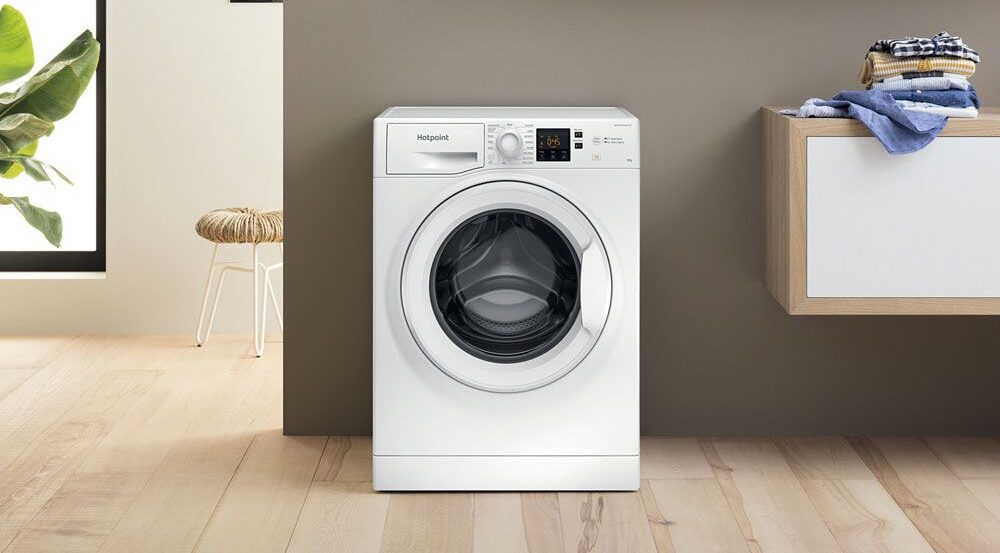

A Hotpoint washing machine displaying “tESt” and running short repeated cycles on its own has been put into demo mode – a showroom display mode that simulates a wash without using water. It can be triggered accidentally by pressing two adjacent buttons simultaneously. Try each of the button combinations below in turn until “d_OFF” appears in the display.
Demo mode is designed for shop floor display and keeps the machine cycling through a short programme loop without actually washing anything. Once activated – even accidentally – the machine will not accept any normal programme selection until demo mode is switched off.
Why Does Demo Mode Activate Accidentally?
On many Hotpoint models, the Start and Cancel buttons are positioned immediately next to each other. The button combination that activates demo mode requires both to be pressed at the same time – which means something as routine as leaning against the machine or brushing against the control panel can trigger it without the owner realising. The machine then appears to be running normally but ignores any programme selection.

The exact button combination to exit demo mode varies between Hotpoint models and software versions. If none of the methods below work, call Hotpoint customer support with the model number and serial number from the label inside the door – they can confirm the correct procedure for your specific machine.
How to Turn Off Demo Mode
Try each method in turn. Success is confirmed when d_OFF appears in the display.
-
Switch the machine on. Press and hold the centre point between the Start and Cancel buttons so both are pressed simultaneously. Hold until d_OFF appears.
-
Switch the machine on. Hold Start and Cancel together until all LEDs light up. Release, then press Start/Cancel and On/Off in sequence.
-
Switch off at the mains socket. Press and hold both On/Off and Start/Cancel. While holding, switch the mains back on. Continue holding until d_OFF appears in the display.
-
Press the Cancel button alone. On some models this is sufficient to deactivate the test programme without any other combination.
-
Press On/Off and Start/Cancel together with the top-left option button simultaneously until d_OFF appears.
-
Allow the machine to complete the test cycle (approximately 3 minutes) until “End” appears in the display. Then press On/Off and Start/Cancel together until d_OFF appears.
None of these methods will cause any harm if they are the wrong combination for your model – they will simply not work. Work through them methodically, giving each attempt a few seconds before moving on.
If None of the Methods Work
 Try first
Call Hotpoint customer support with your model number and serial number (found on the label inside the door). They can confirm the correct exit procedure for your specific model and software version.
 Last resort
If the machine cannot be taken out of demo mode by any button combination, the main control board may be faulty. A failed PCB can lock the machine in demo mode permanently. Board replacement is an expensive repair – get a quote before committing.
Need a Hotpoint Engineer?
If the machine cannot be reset and the control board needs assessment or replacement, a qualified engineer can advise.
Related Guides
 Hotpoint Aquarius Lights Flashing
Flashing light error codes on Hotpoint Aquarius models and what each pattern indicates.
 Hotpoint Aqualtis Error Code F02
Motor and tacho fault diagnosis for the Hotpoint Aqualtis range.
 Hotpoint Error Code F01
What F01 means on a Hotpoint washing machine and how to diagnose it.
 Washing Machine Lights Flashing
How to read flashing light error codes on any washing machine without a digital display.
Frequently Asked Questions
What does “tESt” mean on a Hotpoint washing machine display?
It means the machine has entered demo mode – a showroom display mode that runs a short simulated cycle on repeat without actually washing anything. It is activated by pressing two adjacent buttons simultaneously and can be triggered accidentally. The machine will not accept normal programme selection until demo mode is switched off.
How do I get my Hotpoint washing machine out of demo mode?
Try each of the button combinations listed above in turn. The most commonly successful method is pressing and holding the Start and Cancel buttons simultaneously until “d_OFF” appears in the display. The exact combination varies between models and software versions – if none of the listed methods work, contact Hotpoint with your model and serial number for the correct procedure.
How did demo mode get switched on by accident?
On many Hotpoint models, the Start and Cancel buttons are positioned directly next to each other and the demo mode activation combination requires both to be pressed at the same time. A hand or arm brushing across the control panel, or something leaning against the machine at the right point, is enough to trigger it accidentally.
What if d_OFF never appears no matter what I try?
If no button combination produces the d_OFF display, first call Hotpoint customer support with your model and serial number to confirm the correct procedure for your specific model. If that fails, the main control board may be faulty and locking the machine in demo mode permanently. Board replacement is an expensive repair – get a written quote before proceeding.
19 Comments
Grouped into 17 comment threads.
1 reply On the invertermotor series the method is 1. Turn it on 2. Turn it off 3.hold the start button until you hear a beep/buzz 4. Turn it back on This must be done without a break in the sequence and the demo icon will then flash and turn off
1 reply My washer is stuck on demo it's hotpoint inverter motor 8kg 3 months old
My washer is stuck on demo it’s hotpoint inverter motor 8kg 3 months old
Likely replying to Kerry Brown
Hello Kerry. If none of the procedures in this article turn it off then it’s likely that they have changed and different procedures work for yours. If you are confident it’s in a demo mode and not just developed a fault I can’t think why the manufacturer shouldn’t be able to help you by telling you how to take it out of demo mode. I can’t legitimately be a secret.
0 replies Method 2 worked for me .... thank you
Method 2 worked for me …. thank you
0 replies Thanks. Glad to have helped.
Thanks. Glad to have helped.
0 replies Great stuff thanks for the advice. Method 5 worked for me. Phew. Now to wash all those dirty clothes!!
Great stuff thanks for the advice. Method 5 worked for me. Phew. Now to wash all those dirty clothes!!
0 replies Method 5 worked - thanks so much! Saved a huge call out charge :)
Method 5 worked – thanks so much! Saved a huge call out charge :)
0 replies Thank you so much. Final suggestion solved problem. Have baby and elderly mother making lots of laundry. Couldn't be more grateful.
Thank you so much. Final suggestion solved problem. Have baby and elderly mother making lots of laundry. Couldn’t be more grateful.
0 replies Excellent service solved my problem instantly
Excellent service solved my problem instantly
0 replies Excellent advice, thank you. No. 5 worked on my hotpoint aquarius. Was dreading spending money on a callout or even a new machine. Called hotpoint and all they suggested was unplugging machine to reset it. They should put this in manual. Thanks again.
Excellent advice, thank you. No. 5 worked on my hotpoint aquarius. Was dreading spending money on a callout or even a new machine. Called hotpoint and all they suggested was unplugging machine to reset it. They should put this in manual. Thanks again.
0 replies Wow, that was a close call. I have to admit the first time I came across this I thought the pcb must have gone, but that was about 10 years ago when the issue first showed.
Wow, that was a close call. I have to admit the first time I came across this I thought the pcb must have gone, but that was about 10 years ago when the issue first showed.
Leave a comment
0 replies thank you i called out an engineer and he said i needed a new board and it would be cheaper to buy a new machine i wasnt convinced so i looked on the internet and found your page i tried your tips and it finally went off and is working lovely now you have saved me 200 pound
thank you i called out an engineer and he said i needed a new board and it would be cheaper to buy a new machine i wasnt convinced so i looked on the internet and found your page i tried your tips and it finally went off and is working lovely now you have saved me 200 pound
0 replies excellent advice been trying to get it to work all day used your number one first and it worked straight away thank you 5*****
excellent advice been trying to get it to work all day used your number one first and it worked straight away thank you 5*****
0 replies I have a Hotpoint Aquarius washer drier. Tried all your suggestions and method 5 worked with no problem. Thank you!
I have a Hotpoint Aquarius washer drier. Tried all your suggestions and method 5 worked with no problem. Thank you!
0 replies Thanks method one worked first time, my instruction manual was no use at all but you came up with the answer.
Thanks method one worked first time, my instruction manual was no use at all but you came up with the answer.
0 replies Excellent :) Thanks for the feedback.
Excellent :) Thanks for the feedback.
0 replies Method 5 worked! Thanks.
Method 5 worked!
Thanks.
0 replies had been talked through method 4 by Hotpoint team but it didn't work whereas your method 5 worked first time . thanks
had been talked through method 4 by Hotpoint team but it didn’t work whereas your method 5 worked first time . thanks
On the invertermotor series the method is
1. Turn it on
2. Turn it off
3.hold the start button until you hear a beep/buzz
4. Turn it back on
This must be done without a break in the sequence and the demo icon will then flash and turn off
Hi, I done this and the icon flash and turn off but after the machine shows the same, Demo